
How Claude Code Actually Works for Traders
The agentic loop behind AI trading research, backtests, and dashboards

Hey! You probably already know Claude Code is different from a normal chatbot.
But still some traders and investors still use it wrong.
They open Claude. Type a question. Get a text answer. Copy something useful. Close the tab.
That is not where the value is.
Claude Code is not valuable because it writes nice explanations.
It is valuable because it can run a loop:
Prompt → context → tool → action → verification → repeat.
That loop is the whole product.
And once you understand it, Claude Code stops feeling like “AI chat for developers” and starts looking like a trading research engine you control from plain English.
The loop
Here is the simple version.
You give Claude Code a task.
Something like:
Build me a daily momentum screener for S&P 500 stocks using my local price data. Rank stocks by 6-month return, exclude names below the 200-day moving average, and export the top 25 to a CSV.
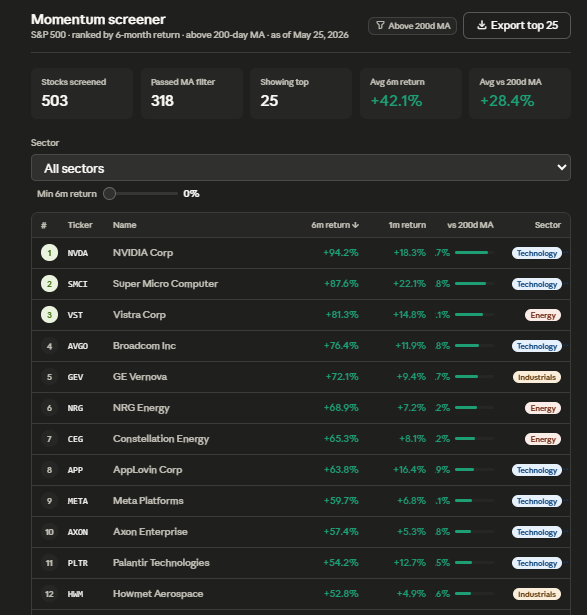
Claude Code does not just answer with a paragraph.
It starts working:
First it gathers context.
It reads the files in your project. Your prices.csv. Your existing Python scripts. Your CLAUDE.md file. Your folder structure. Maybe your previous backtest output. Maybe the error logs from the last run.
Then it decides what tool it needs:
Read a file.
Search the project.
Write a new script.
Run a command.
Edit a broken function.
Then it checks what happened:
Did the script run?
Did the CSV get created?
Did the output have 25 rows?
Did the ranking logic match your rule?
If yes, it stops.
If no, it loops again. Thats a real difference.
A chatbot gives you an answer.
Claude Code keeps taking action until there is an actual artifact on disk.
A script.
A chart.
A cleaned dataset.
A backtest report.
A dashboard.
A trading journal update.
The trader version of the agentic loop
For trading, the loop looks like this:
1. You define the job
Not “analyze my strategy.”
That prompt was trendy in 2022.
Say what input exists, what rules matter, and what output you want.
Example:
Read
data/trades.csv. Calculate win rate, average win, average loss, expectancy, max drawdown, and performance by setup type. Then create an HTML dashboard and save it to/reports/trade_review.html.
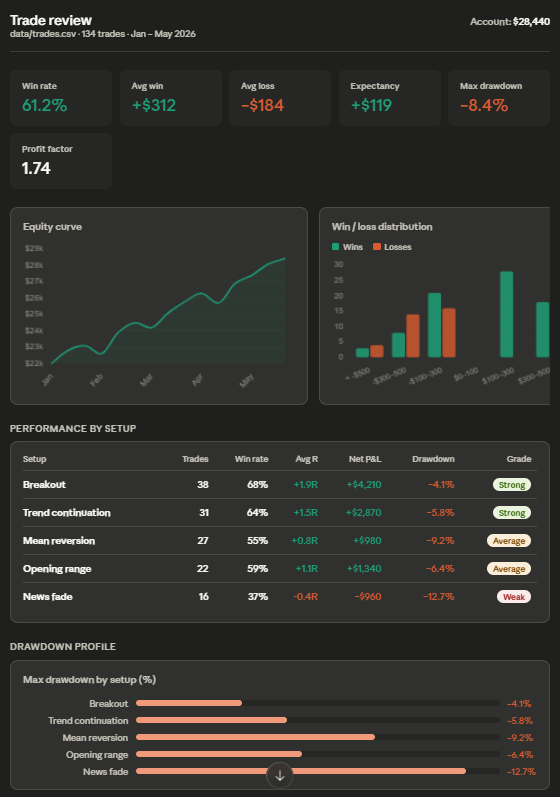
Now Claude has a job with edges.
Input: trade CSV.
Logic: metrics.
Output: HTML dashboard.
That is executable.
2. Claude gathers context
Claude Code looks around the project.
It might inspect the CSV headers.
It might open your existing dashboard file.
It might check which Python libraries are already installed.
It might read CLAUDE.md and see your rules:
Use adjusted close when working with stocks.
Include commissions and slippage in every backtest.
Never use future data in signal generation.
Save charts to
/reports.Return all performance metrics as percentages.
This is where most traders underestimate Claude Code.
The prompt is not the only context.
Your project is context.
Your files are context.
Your command output is context.
Your errors are context.
Better context goes in. Better automation comes out.
3. Claude chooses tools
This is where Claude Code stops being a chat window.
If it needs to inspect a file, it uses a read tool.
If it needs to find where a function lives, it searches.
If it needs to create a new backtest script, it writes a file.
If it needs to run the script, it uses the terminal.
You do not need to say:
“Use the read tool, then use bash, then edit line 42.”
You describe the outcome. Claude picks the tools. Because trading research is mostly tool work.
Downloading data.
Cleaning data.
Checking columns.
Running scripts.
Fixing errors.
Exporting results.
Comparing versions.
Updating reports.
None of that should be manual in 2026.
4. Claude takes action
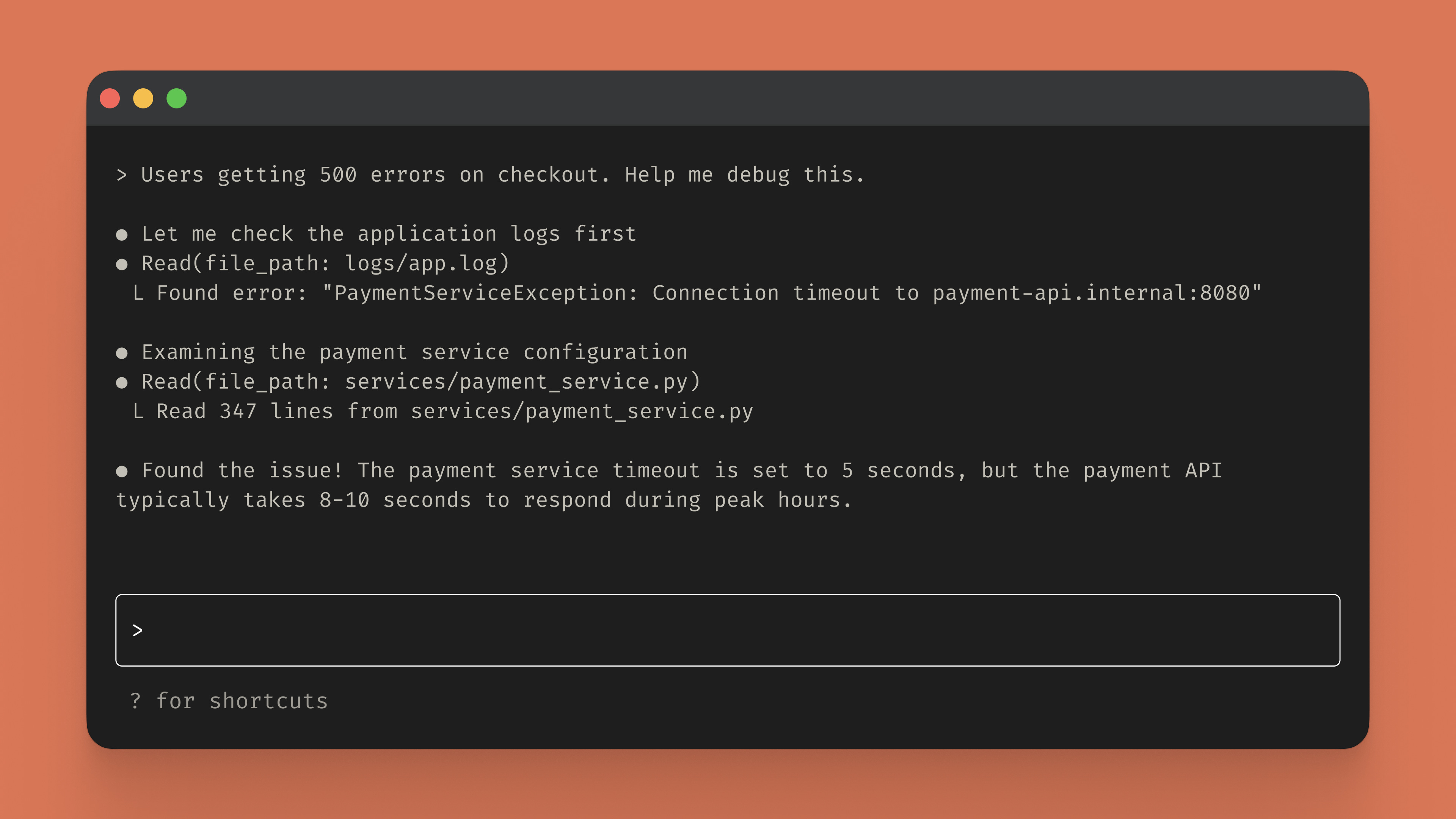
This is the part normal AI chat cannot do.
Claude Code can actually change the project.
It can create momentum_screener.py.
It can run:
python momentum_screener.py
It can see the error.
It can fix the import.
It can run it again.
It can create the output file.
It can open the output and check if it matches the requested structure.
This matters for investors/traders because the bottleneck is usually not the idea.
The bottleneck is all the mechanical work between the idea and the result.
You already know what you want to test.
The annoying part is turning that idea into files, scripts, charts, and numbers. (a lots of manual work)
Claude Code attacks that layer. Not your strategy. The work around the strategy.
5. Claude verifies
This is the most important part.
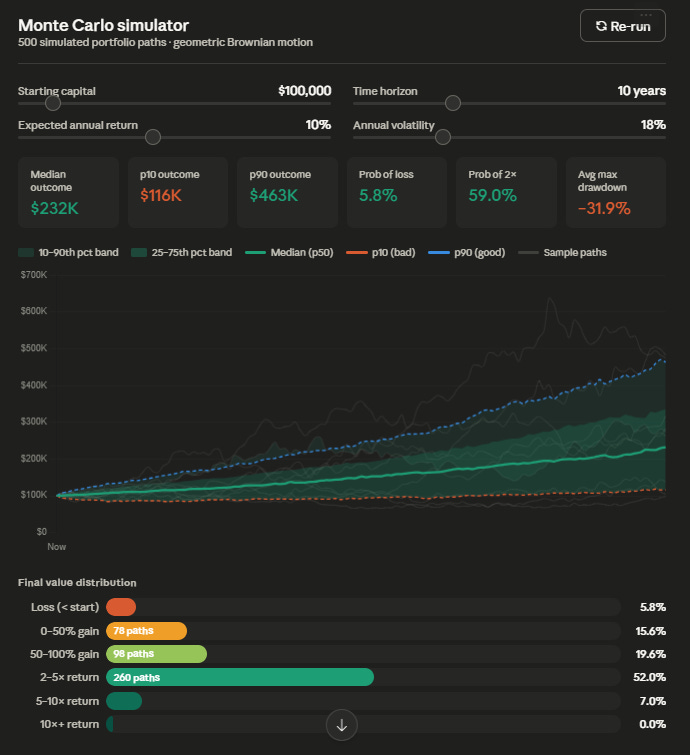
If Claude writes a backtest and does not verify it, you have nothing.
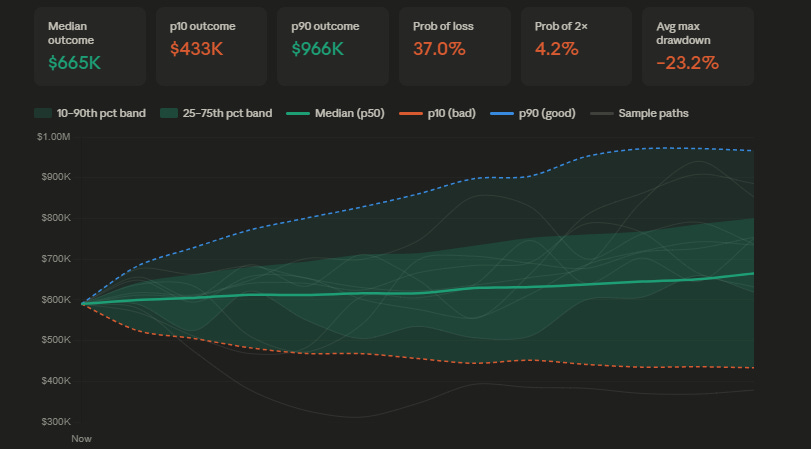
A clean equity curve is not proof.
A green Sharpe ratio is not proof.
A table with returns is not proof.
For trading, verification means asking Claude to test the logic.
Did the signal use only past data?
Were transaction costs included?
Were missing prices handled?
Were delisted stocks ignored?
Were dividends and splits adjusted?
Was the benchmark calculated the same way?
Did position sizing match the rule?
Did the trade count make sense?
A backtest that runs is not enough. A backtest that survives checks is the minimum.
So your prompt should force verification.
Example:
After building the backtest, run it. Then inspect the first 10 trades manually and confirm the entry and exit dates follow the rules. Check for lookahead bias. Add transaction costs. If anything fails, fix it before giving me the final report.
This is how you stop Claude from producing pretty garbage.
Context window: Claude’s working memory
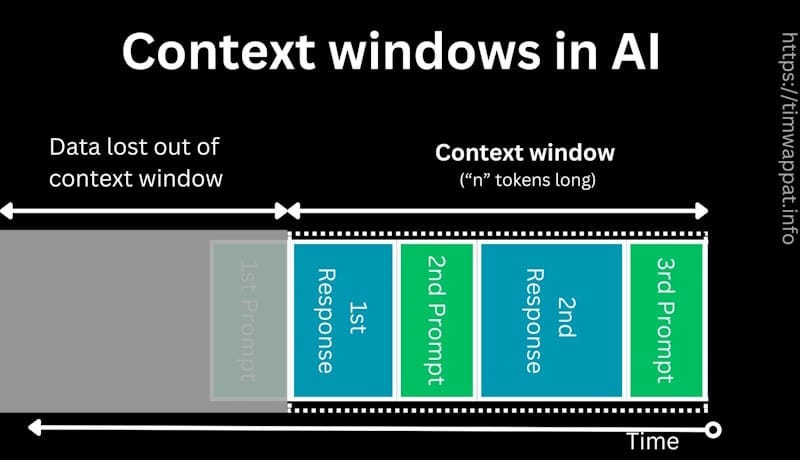
Claude Code has a context window.
This is everything it can currently see and reason over.
Your prompts.
Its replies.
File contents.
Command outputs.
Errors.
Plans.
Previous decisions.
But the window has a limit. This matters a lot in trading. Because trading data gets huge fast. A small strategy explanation is fine. A 3-year trade journal is fine.
A folder full of minute-level OHLCV files can destroy the session if you dump it in without structure.
Do not shove everything into context.
Make Claude inspect what it needs.
Tell it where the data lives.
Give it schemas.
Give it sample rows.
Use focused sessions.
One task per session.
“Build the screener” is one session.
“Analyze earnings reactions” is another session.
“Debug portfolio risk calculations” is another session.
When context gets messy, quality drops.
That is not a personality issue.
That is an information problem.
Too much irrelevant state increases wrong decisions.
Use /compact when the session is still useful but bloated.
Use /clear when the task has changed.
Clean context is much much cleaer output.
Tools are the backbone
Most AI tools are still text in, text out.
That is fine for asking what RSI means.
It is not fine for building a workflow.
Claude Code has tools.
For traders, the important ones are simple:
Read files.
Write files.
Edit files.
Run terminal commands.
Search the project.
Use web search when needed.
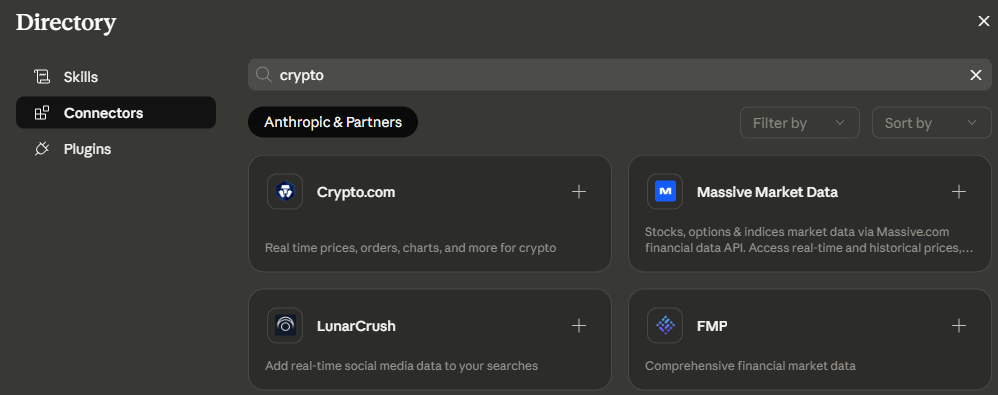
Connect external systems through MCP.
That last one is where this becomes serious.
Claude Code connected to market data is different from Claude Code with pasted screenshots.
Claude Code connected to your trade journal is different from Claude Code guessing from memory.
Claude Code connected to broker data, filings, notes, and your local research folder becomes a working system.
Not because it is magical.
Because it has access to the inputs and can take actions against them.
That is the mechanic.
Permissions: do not be stupid with access
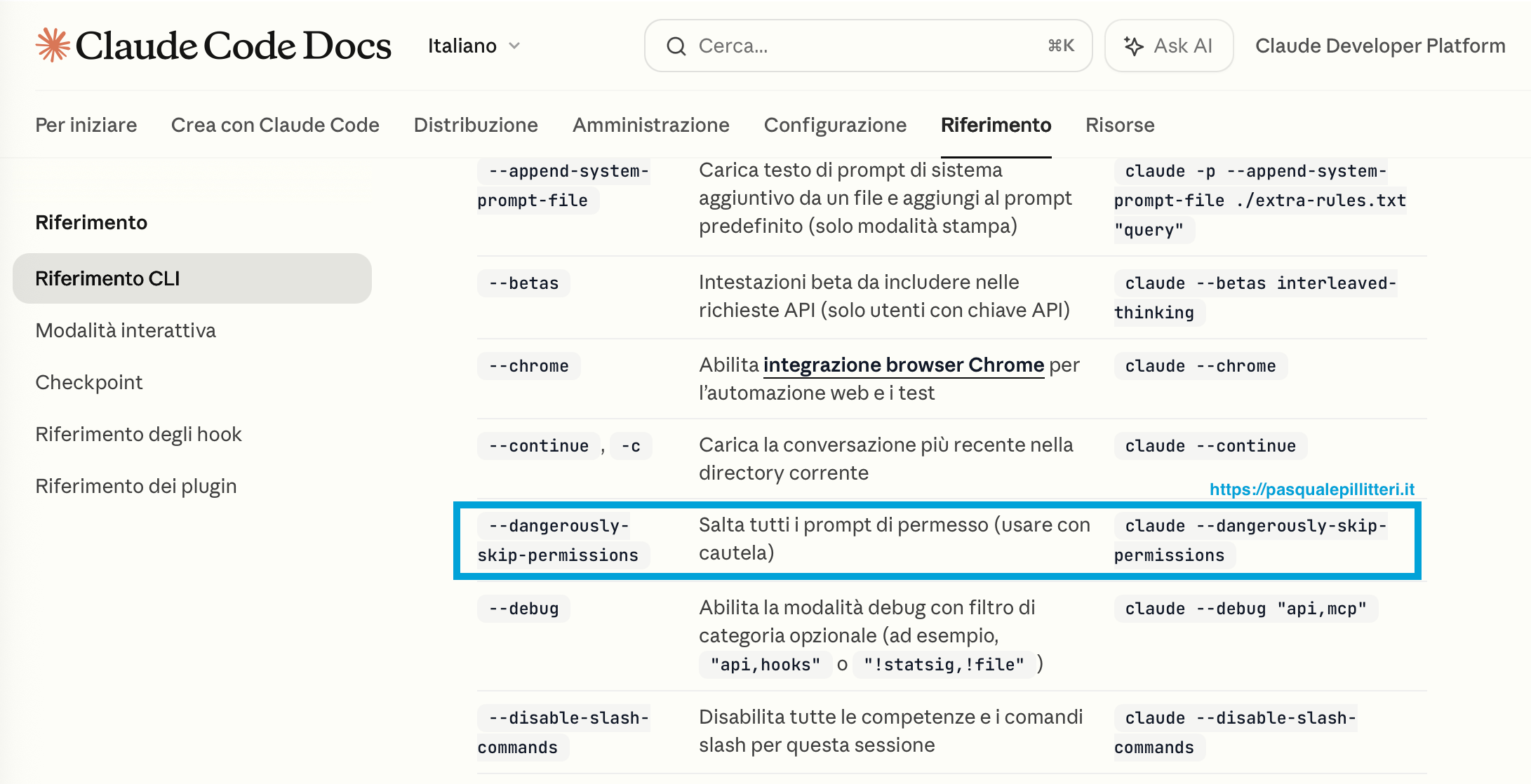
Claude Code can edit files and run commands. That is powerful :).
It is also exactly why you need permissions.
By default, Claude asks before risky actions.
This is good, like annoying, but good.
When you are learning, keep approvals on.
When you trust a workflow, loosen the safe parts.
For example:
Auto-accept file edits inside a sandbox project? Fine.
Let it read local CSV files? Fine.
Let it run a known Python backtest script? Usually fine.
Let it install random packages, touch API keys, or execute live broker orders without review? No.
That is not productivity but that is bad risk management.
Use plan mode when the task can damage your workflow.
Plan mode lets Claude inspect files and propose a plan before editing anything.
That is perfect for trading systems.
Before Claude rewrites your backtester, ask for the plan.
Before it changes your data pipeline, ask for the plan.
Before it touches anything connected to real money, ask for the plan.
Fast is good plus uncontrolled is how you create hidden errors at machine speed.
A real workflow
Here is what a proper Claude Code trading task looks like.